What Is Roman Script?
Roman script means your language is written using English letters, but the words themselves stay in your own language. This is exactly how most people already text and type casually, a mix like Hinglish, Urdish, or Benglish.
For example, if you say "Yaar main poori raat soya nahi" in Hindi or Urdu, Roman script captions will display it exactly like that, your language, spelled out in English alphabets. It's not a translation. It's your own words, just written the way you'd naturally text a friend.
What Is Native Script?
Native script displays your captions in the actual alphabet of the language you're speaking, for example, Urdu script for Urdu, or Bengali script for Bengali, rather than English letters.
This gives your captions a more traditional, native-language look and can feel more authentic depending on your audience and content style.
How to Choose Between Them
-
Upload your video to Kalakar.
-
Select the language you're speaking (for example, Urdu, Bengali, or another supported language).
-
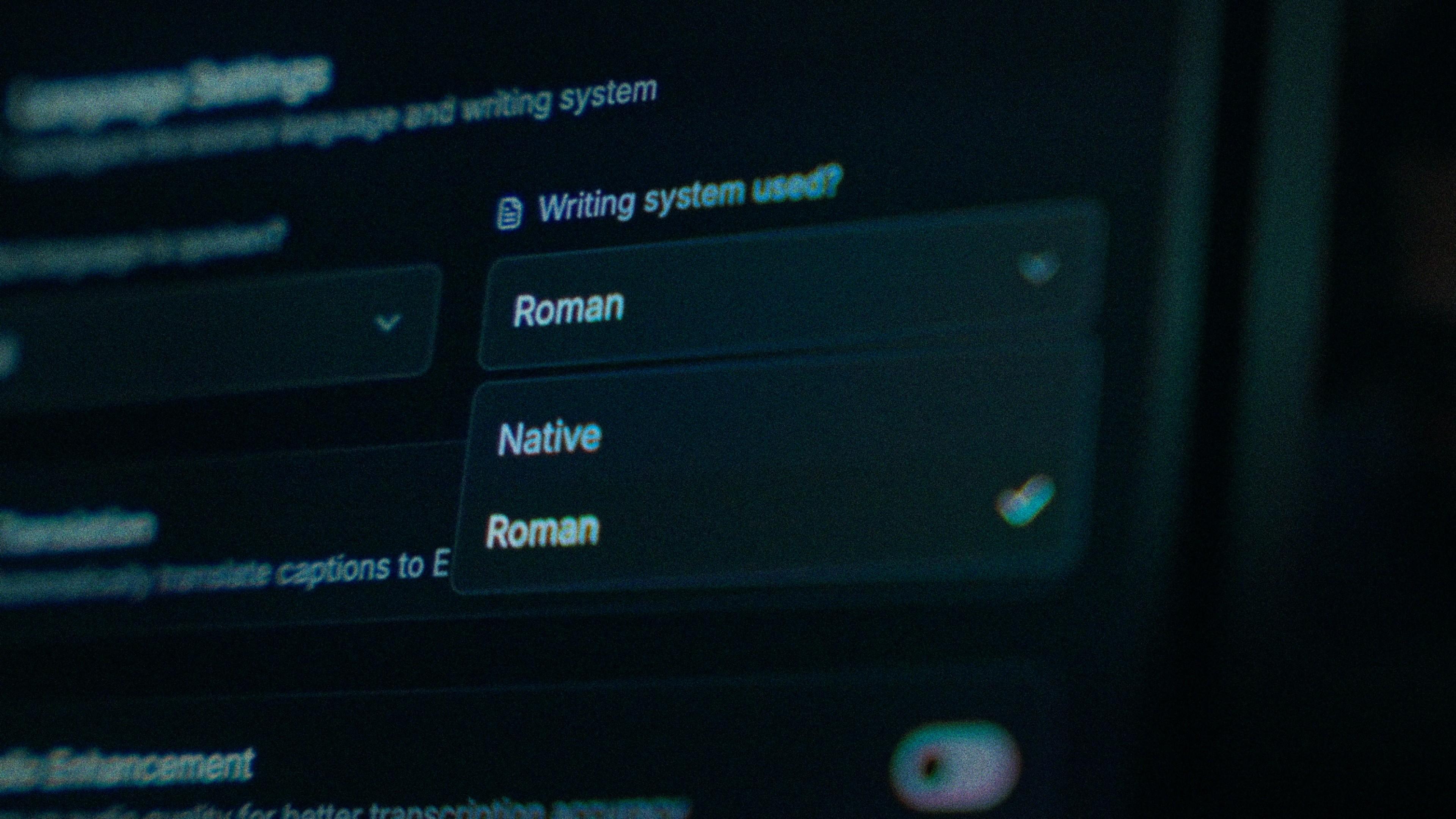
You'll see a Language Script option with two choices: Roman and Native.
-
Pick Roman for English-lettered captions of your spoken language, or Native for captions in that language's own script.
-
Click Generate, and Kalakar will process your captions accordingly.
A Quick Exception: Hindi + English (Hinglish)
If your spoken content is a genuine mix of Hindi and English, true Hinglish, you don't need to go through the Roman vs Native selection at all. Simply select English as your language from the settings, and Kalakar handles it correctly without any extra steps.
Which One Should You Use?
There's no universally "correct" choice, it depends on your audience and your content style:
-
Roman tends to feel more casual and matches how most people already text online, making it easy to read quickly for a broad, informal audience.
-
Native can feel more authentic and traditional, especially for audiences who read comfortably in their native script.
Try both on a short clip and see which one matches your channel's voice.
FAQ
Does Roman script translate my language into English? No. It keeps your exact words in your own language, it just spells them using English letters instead of the native alphabet.
Do I need to select Roman or Native if I speak Hinglish? No. Just select English as your language, and Kalakar will handle the Hindi-English mix automatically.
Can I switch between Roman and Native after generating captions? You'll need to re-upload or re-generate captions with the other script option selected, since the script choice is applied during caption generation.